3-Axis Action Camera Gimbal: Setup, Tips & Use Cases
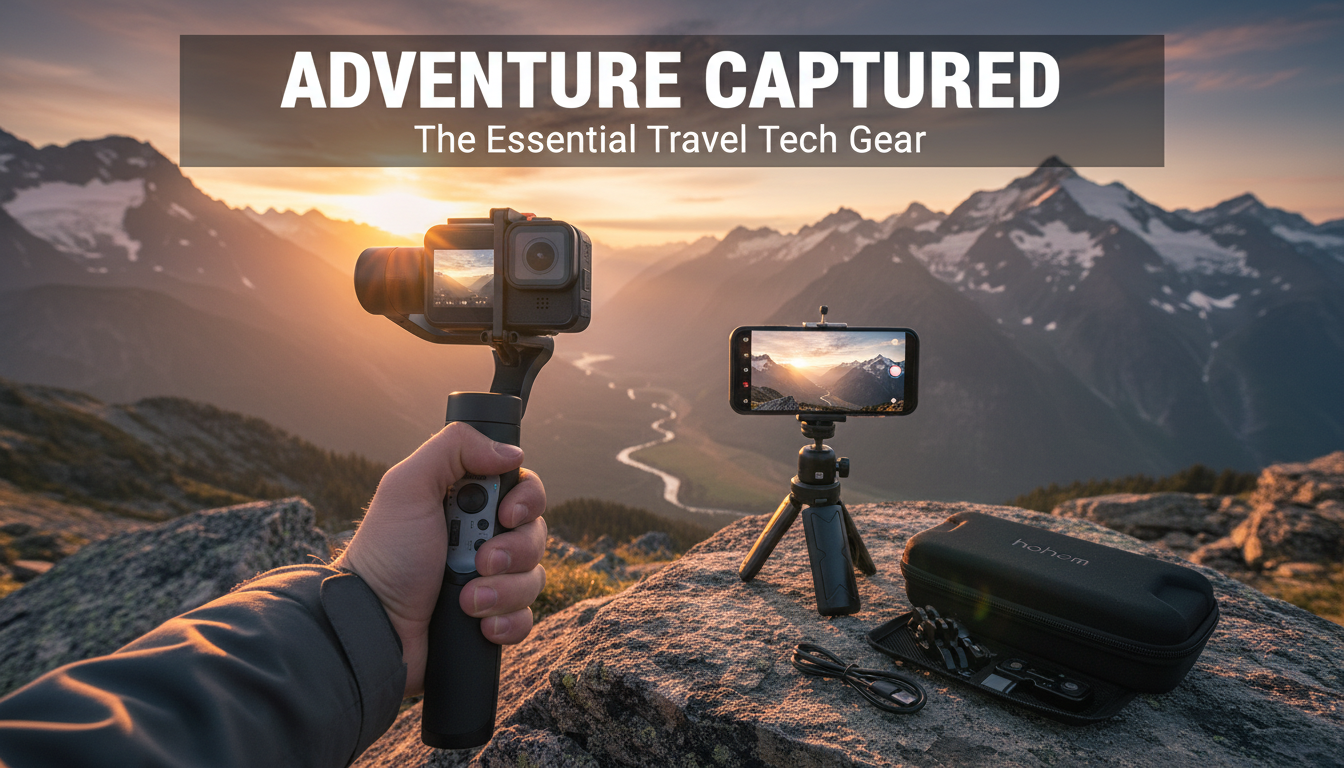
3-Axis Action Camera Gimbal Stabilizer: Smoother Footage for Travel, Sports, and Daily Vlogging
Shaky handheld clips can distract from otherwise great moments—especially with action cameras used on the move. A 3-axis gimbal stabilizer helps keep horizons level, reduces jitter while walking or riding, and makes pans and reveals look more controlled. This guide covers what a 3-axis stabilizer does, when it helps most, how to set it up quickly, and how to get the most stable results in real-world shooting. For more guidance, see [PDF] A control system for a 3-axis camera stabilizer – Diva-Portal.org.
What a 3-axis gimbal stabilizer does (and what it can’t fix)
A 3-axis gimbal uses motorized stabilization to counter movement across pan, tilt, and roll. In practice, that means smoother walking shots, steadier pans, and a horizon that stays closer to level while your hands and body move. For further reading, see Handheld Gimbal and an Action Camera – A Match Made in Heaven.
- Stabilizes pan/tilt/roll: Helps smooth natural hand motion during walking, panning, and light running.
- Enables cinematic moves: Slow push-ins, controlled pans, and follow shots become easier without a tripod.
- Rewards good technique: A gimbal reduces shake, but smooth starts/stops and steady pacing still matter.
- Not a cure for all vibration: High-frequency vibration (like rough handlebars) can still show up without better mounting or damping.
For a clear baseline definition of what gimbals are and how they work, DJI’s glossary is a useful reference: https://www.dji.com/glossary/gimbal.
Gimbal stabilization vs. in-camera stabilization
Most action cameras offer electronic image stabilization (EIS), which can be great for quick clips. A gimbal, however, stabilizes physically—often preserving a wider field of view and producing a more “camera-like” motion during pans and reveals.
| Feature | 3-axis gimbal stabilizer | In-camera stabilization (EIS) |
|---|---|---|
| How it stabilizes | Motors counteract movement | Software crops/warps frames |
| Image crop | Typically none | Often crops (varies by camera/mode) |
| Low-light performance | Usually stronger (less reliance on high shutter speed) | Can degrade more in low light |
| Best for | Walking shots, pans, reveals, follow movement | Quick handheld clips, lightweight setups |
| Trade-offs | Needs charging and balancing | Potential artifacts/crop; can be less consistent |
Combining both can look excellent, but it can also introduce a slightly “floaty” feel depending on camera model and settings. Testing your usual shooting modes (walking, panning, and quick turns) is the fastest way to pick the cleanest combo.
Key features that matter for action camera shooting
- Payload and compatibility: Confirm the stabilizer supports your camera’s size/weight and the mounting interface (frame, cage, or adapter if needed).
- Battery life and charging: For day trips and long takes, stable runtime matters. Bonus points if it can be topped up via a power bank.
- Control modes: Lock/follow modes, quick re-center, and adjustable follow speed help match the shot to the moment (sports vs. cinematic).
- Grip and ergonomics: A comfortable handle reduces fatigue and helps you stay steady for longer sequences.
- Travel readiness: Compact size and fast setup are ideal for spontaneous clips on hikes, tours, and day outings.
Fast setup: balance, calibrate, and start filming
Most “gimbal problems” come down to balancing and mounting. A quick, repeatable setup routine saves battery, reduces motor strain, and improves horizon stability.
- Mount securely: Tighten fasteners and confirm the camera can’t shift when you tap it lightly.
- Balance before power-on: Adjust the camera position so it rests near-level without the motors fighting gravity.
- Calibrate and re-center: After powering on, run calibration (if available) and re-center before recording.
- Pick the right mode: Follow mode for walking/tracking, lock mode for straight push-ins, slower follow speed for cinematic pans.
- Record a 10-second test: Watch for drift, horizon roll, or jitter. If motors sound strained or the camera slowly “leans,” re-balance.
Shooting scenarios where a gimbal makes the biggest difference
Practical tips for smoother results (even before editing)
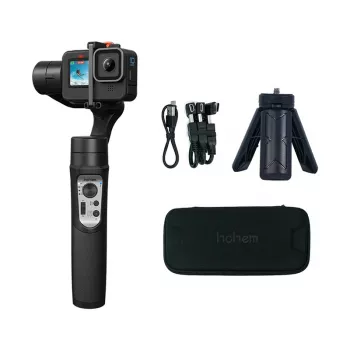
Product spotlight: 3-Axis Action Camera Gimbal Stabilizer
For creators who want steadier action camera clips on travel days, walking tours, and everyday vlogging, the 3-Axis Action Camera Gimbal Stabilizer is built to make movement-heavy footage look smoother and more controlled. It’s especially useful when you want cleaner pans and a more level horizon without relying only on in-camera stabilization.
| Item | Details |
|---|---|
| Name | 3-Axis Action Camera Gimbal Stabilizer |
| Price | 99.47 USD |
| Availability | In stock |
| Product page | View listing |
Pairing ideas: build a compact creator kit
- Add a dedicated mic for voice: For desk-based editing, streaming, or voiceovers, the RGB USB Condenser Microphone for Streaming, Recording, Gaming & Studio is a straightforward upgrade path.
- Prioritize stability outdoors: On trips and hikes, lock in steadier video first, then improve audio as the next step.
- Keep accessories minimal: An extra battery/power bank, a small tripod, and a simple carry pouch can improve consistency without adding bulk.
FAQ
Does a 3-axis gimbal replace in-camera stabilization?
No—each solves stability in a different way. A gimbal physically stabilizes the camera, while EIS stabilizes digitally (often with some crop), and using both together can help or can look “floaty,” so it’s worth testing your camera’s modes.
Why does my gimbal drift or tilt over time?
Drift is commonly caused by imperfect balance, skipped calibration, or a mount that shifts slightly during shooting. Re-balance after any accessory change, tighten mounts, run calibration if available, and re-center before recording.
Can a gimbal fix vibration from bikes or rough surfaces?
It can reduce larger hand/arm movements, but it may not remove high-frequency vibration from rough terrain or handlebars. Better mounting, vibration damping, and careful frame rate/shutter settings usually make the biggest difference.













Leave a comment