Portable 4K LED Projector: WiFi, Bluetooth & Setup Tips
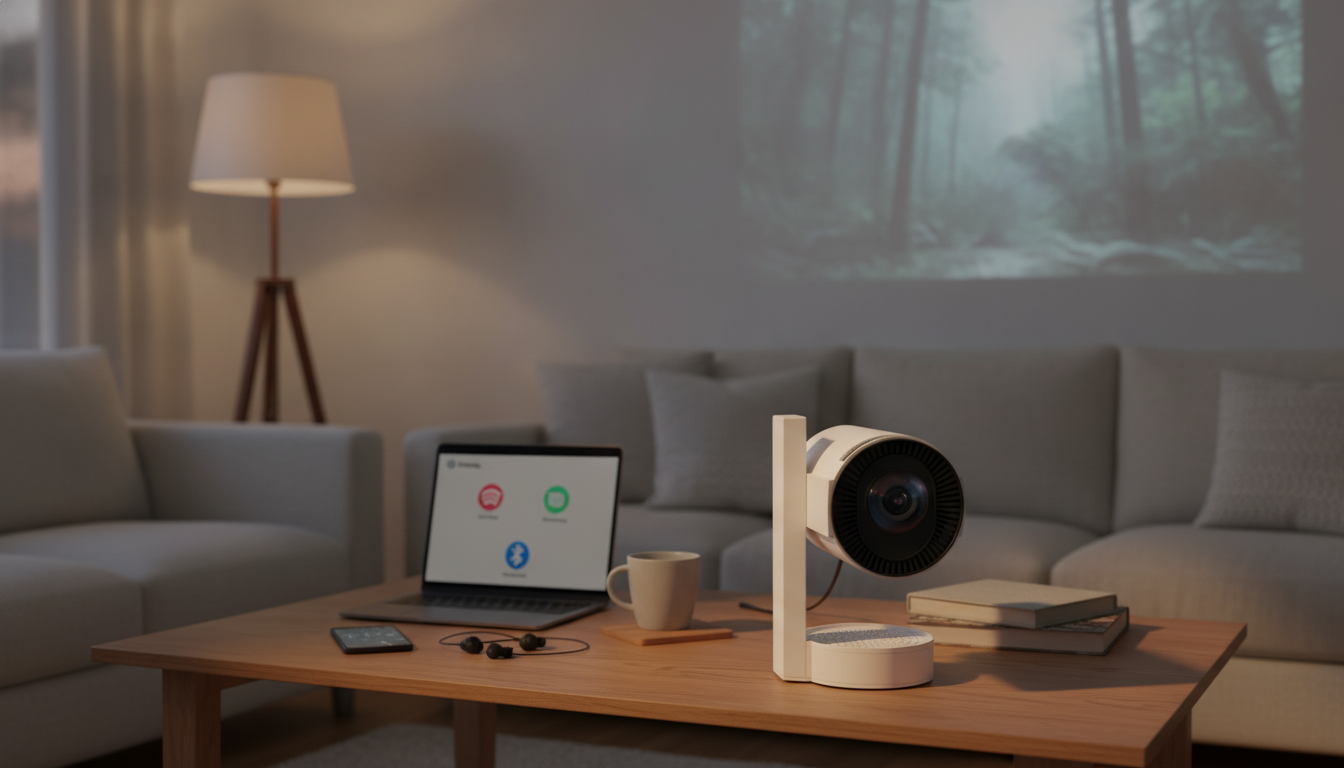
Portable 4K LED Home Theater Projector with WiFi and Bluetooth
A compact projector can turn a blank wall into a big-screen setup for movie nights, casual gaming, and outdoor viewing. A portable 4K LED home theater projector with built-in WiFi and Bluetooth is designed to make that experience easier: fewer cables, flexible placement, and quick pairing to external audio. Below is what this style of projector tends to do best, what to check before setting one up, and practical ways to get a sharper picture and better sound in real rooms.
What This Projector Is Best For
- Apartment-friendly home theater without a TV-sized footprint
- Bedroom and dorm setups where portability matters
- Backyard movie nights when paired with a screen and a speaker
- Kids’ rooms for cartoons and occasional gaming (with realistic latency expectations)
- Travel and presentations when a compact display is needed
Portability is the advantage: a projector can live on a shelf most days, then move to the patio, a friend’s place, or a spare bedroom when it’s time for a bigger image.
Key Features to Look For in a Portable 4K LED Projector
- Native resolution vs. 4K support: confirm whether the unit displays 4K content by downscaling or has a true 4K panel.
- LED light source: generally longer life and lower heat than traditional lamps, with less maintenance over time.
- WiFi streaming: check compatibility with your preferred casting method (phone mirroring, casting protocols, or app-based streaming).
- Bluetooth audio: useful for pairing soundbars or portable speakers; verify whether it supports stable connection range and consistent pairing.
- Inputs and outputs: HDMI for consoles/streaming sticks, USB for media playback, and audio out as a fallback.
- Focus and keystone: makes alignment easier, especially when the projector can’t be centered.
Quick Checklist for Setup Planning
| Feature | Why it matters | What to verify before buying/setting up |
|---|---|---|
| Projection distance & screen size | Determines how large the image can be in your room | Available throw distance from shelf/stand to wall |
| Brightness (manufacturer rating) | Helps decide if it can handle ambient light | Plan for dark-room viewing for best contrast |
| WiFi casting method | Affects how easily you can play content from a phone/laptop | Casting support on iOS/Android and home network stability |
| Bluetooth audio | Improves sound without running cables | Pairing stability; any noticeable audio delay |
| Ports (HDMI/USB/Audio) | Ensures compatibility with consoles and streaming sticks | Number of HDMI ports; USB playback formats; audio-out option |
| Keystone/focus controls | Helps achieve a sharp rectangular image | Ease of use and how often you’ll move the projector |
Getting the Best Picture in a Real Room
For comfortable viewing distance, general cinema guidance often references field-of-view targets rather than a fixed rule; organizations like SMPTE provide helpful overviews for screen size and seating decisions (SMPTE).
WiFi Streaming and Bluetooth Audio: Practical Tips
- For streaming apps: a dedicated streaming stick over HDMI can be more reliable than screen mirroring, especially for DRM-protected services. HDMI capabilities vary by device and cable; the official standards are documented by the HDMI Forum (HDMI specifications).
- For phone mirroring: keep the phone and projector on the same network and reduce congestion (pausing large downloads, moving closer to the router, or using a less crowded WiFi band when available).
- For Bluetooth speakers: pair once, then test for lip-sync. If delay is noticeable, use a wired audio connection when available or connect audio through a different device with better sync control.
- For soundbars: place the speaker near the screen area to keep dialogue “anchored” to the picture instead of sounding like it’s coming from behind the couch.
- For outdoor use: use a battery-powered speaker and consider a long HDMI cable from a media source in a protected spot.
Bluetooth behavior (including audio profiles and device interoperability) is defined by the Bluetooth SIG (Bluetooth Core Specification), but real-world latency can still vary by speaker and content.
Portable Setup Ideas: Movie Night, Gaming, and Travel
Care, Maintenance, and Longevity
When a Portable Projector Makes More Sense Than a TV
Product Spotlight
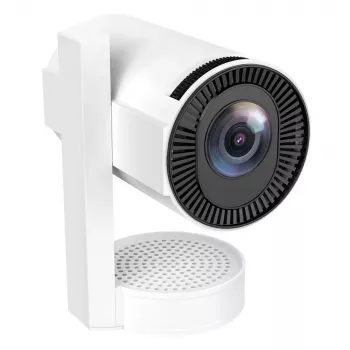
If you want a compact option built for flexible placement, wireless audio pairing, and home-theater-style viewing, the Portable 4K LED Home Theater Projector with WiFi and Bluetooth is designed to fit that role. For the smoothest day-to-day experience, HDMI is typically the go-to connection for streaming sticks and consoles, while Bluetooth is a convenient way to upgrade sound quickly without running cables.
For creators who plan to host movie nights, stream gameplay, or record reactions alongside projector use, adding a dedicated USB mic can help voice clarity compared to built-in laptop mics. The RGB USB Condenser Microphone for Streaming, Recording, Gaming & Studio pairs well with simple streaming or recording setups.
FAQ
Does a portable 4K projector always display true 4K resolution?
No. Many portable projectors accept a 4K signal but display it on a lower-resolution native panel by downscaling, so it’s important to confirm the projector’s native resolution in the specifications.
Can Bluetooth speakers cause audio delay with a projector?
Yes. Bluetooth can introduce latency that shows up as lip-sync delay, so it’s worth testing with dialogue scenes; if it’s noticeable, switch to a wired audio output or a different audio device with better sync handling.
What’s the easiest way to stream movies reliably on a projector with WiFi?
Using an HDMI streaming stick is often the most consistent option. Some streaming services may not play reliably via screen mirroring due to DRM restrictions and network variability.













Leave a comment